
Learning app · Ages 2–6
An educational app for kids ages 2 to 6
Does your child want to count, draw or listen for a clue today? Ziippi offers six areas to choose from, with spoken instructions and pictures. Play alongside them, then see the topics they practised in your parent area.
Getting started
Choose a profile and an activity
Create a profile with your child’s age and language. Then choose an area together and listen to the instructions. Each child has a separate profile, even when siblings share a device.
Together 01
Six areas to explore
Numbers, Letters, Discover, My hands, Feel and Speak bring together early quantities, sounds, shapes, patterns, drawing, emotions and vocabulary. Choose an area that interests your child today.
Together 02
Instructions they can listen to
Activities use voice, pictures and large controls. Your child can listen again before choosing an answer. You can stay nearby to help when they need it.
Together 03
See what they practised
Your parent area shows progress by topic and a calendar of completed sessions. Use it to see which areas your child has played and when.
Together 04
Play without ads
There are no ads or purchase controls in the child’s play area. Profiles, account settings and subscription controls are in the parent area, protected by an adult PIN.
What your child sees
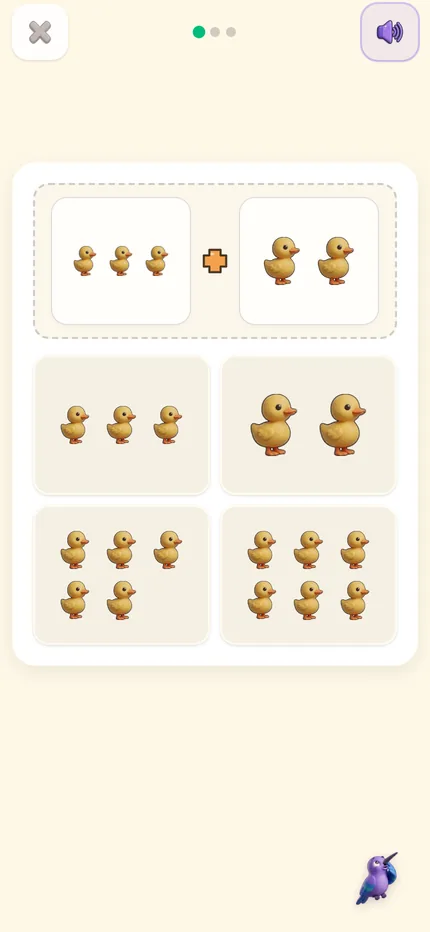
The same app, two different views: tablet in landscape, phone in portrait. Not the desktop one shrunk down — each is built for how the device is held.
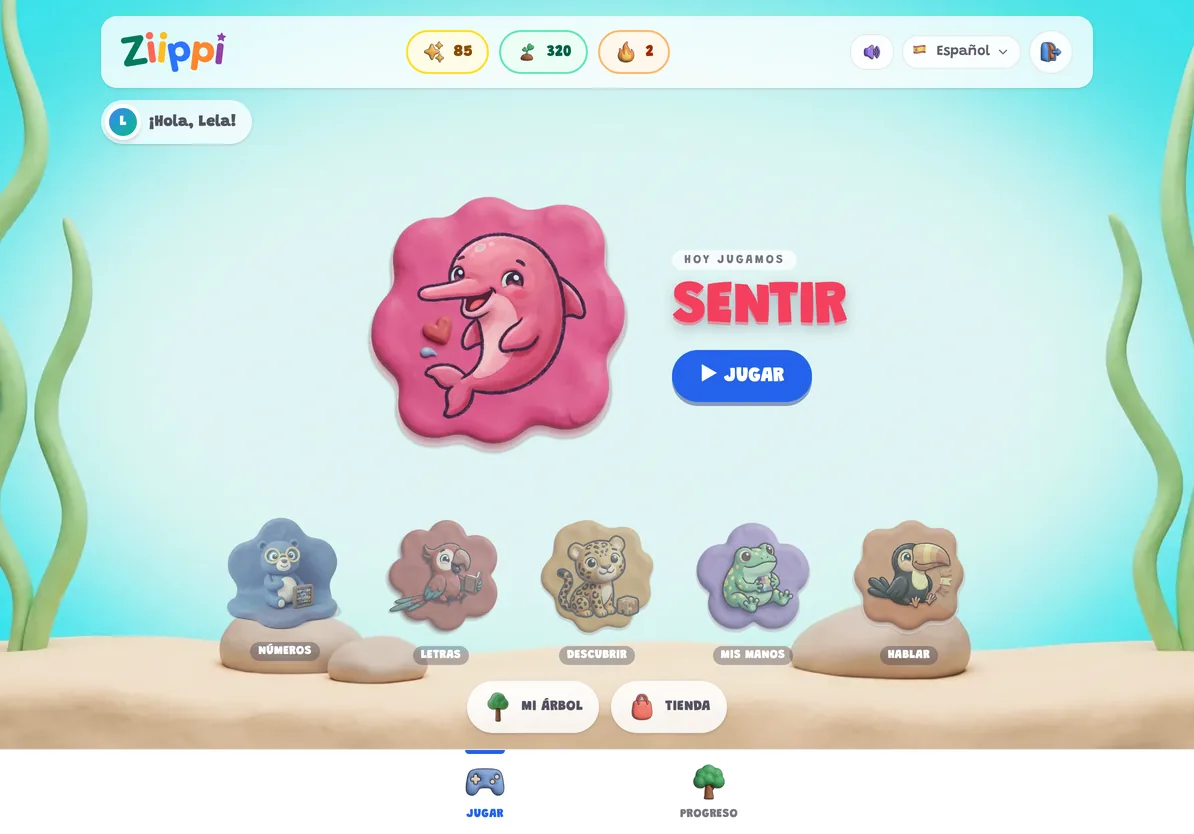

On tablet, the selector shows the six areas. Feel is highlighted, ready to start an activity with Rosi.
On phone, a numbers exercise: put two groups together and tap how many there are.
Frequently asked questions
What ages is it for?
Two to six. At two, a session is shapes, sounds and voice, and an adult can sit alongside without having to run it; by six they recognise letters and work through it alone. Above that age there is no content yet — we would rather say so than have you find out after paying.
How long is a session?
Sessions are short and each one contains a small set of guided activities.
Does it need internet?
Yes, to load the session and save progress. Once a session is under way, a brief drop in connection won’t interrupt what your child is doing.
Can I use it for more than one child?
Yes. Each child gets their own profile, plan and progress, and you switch between them from the family screen.
Are there ads in the child activities?
No. The child activities have no advertising. Subscription controls live in the parent dashboard, behind the adult PIN.
What languages does it support?
Thirteen, including English, Spanish and Portuguese. Language is set per profile, so one child can practice in Spanish while another works in English.
Try an activity with Ziippi
Explore an activity and see how you can help your child.
Try an activityPrefer the app? Find it in your store.